
You can change your password in My Profile:
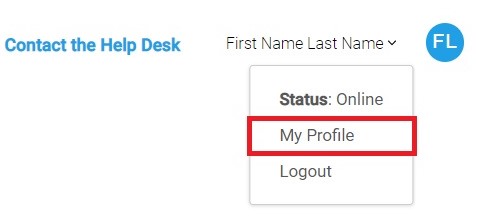
- When logged into the PTS, click your <FIRST NAME LAST NAME> in the upper right corner.
- Click the My Profile option from the menu.
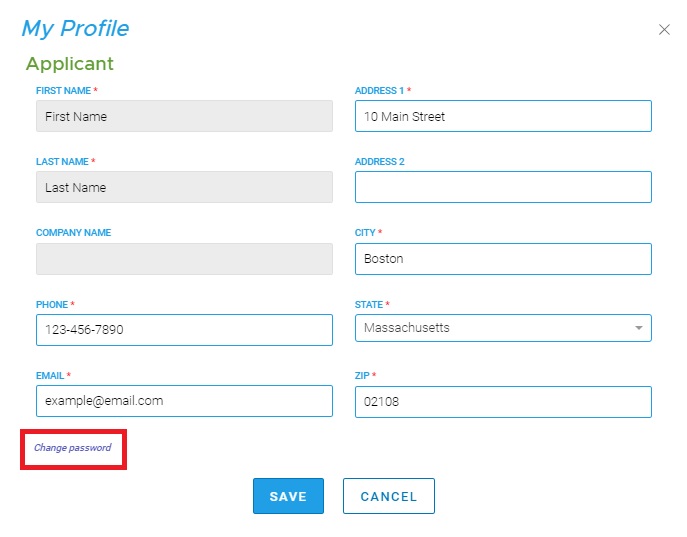
- The My Profile form will appear.
- Click Change password
- Enter a new password
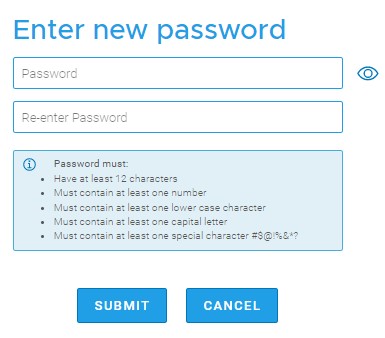
- Re-enter the password to confirm it.
- Click SUBMIT to update your password.
Note: Passwords must meet specified strength parameters as noted in the interface.
Comments
0 comments
Article is closed for comments.