
- When logged into the PTS, click your <FIRST NAME LAST NAME> in the upper right corner.
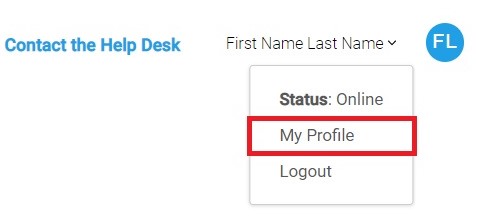
- Click the My Profile option from the menu.
- The My Profile form will appear.
- Update your EMAIL address value
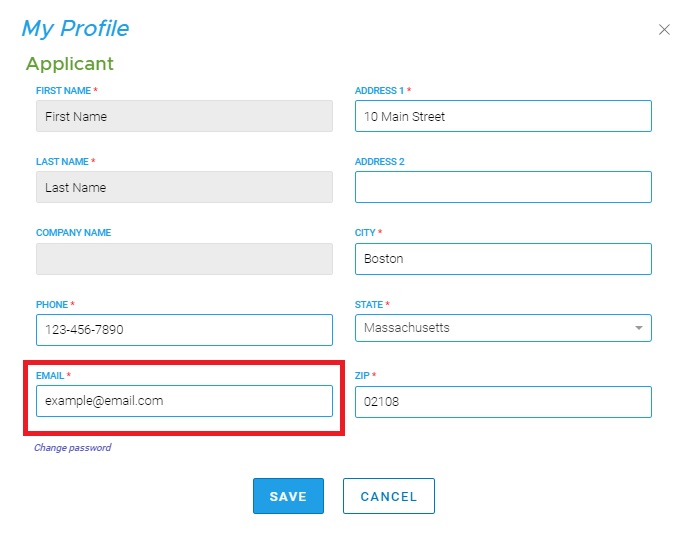
- Click SAVE.
- A confirmation email will be sent to the email address provided. If you don’t see it within a few minutes, be sure to check your spam folder.
- Click on the button or link in the email to confirm your email address. You will see a confirmation message in your web browser when you click the link.
Note: Your email address must be confirmed by clicking on the link in the confirmation email. You will not be able to login to PTS until your new email address has been confirmed.
Comments
0 comments
Article is closed for comments.